
Not sure which BAND-IT components you need?
Capture your cable restraint requirements and review the product family, supporting evidence, and next steps.
Data centres · Australia & New Zealand
Plan the cable restraint around your project. Find Band-It product options, installation resources and support for your next data centre build or upgrade.
From specification to procurement, talk to UES Promura about power cable layouts, BAND-FAST cable cleats and the information you need for product selection.
Project enquiries, product information and quotes · Call +61 3 9547 5833
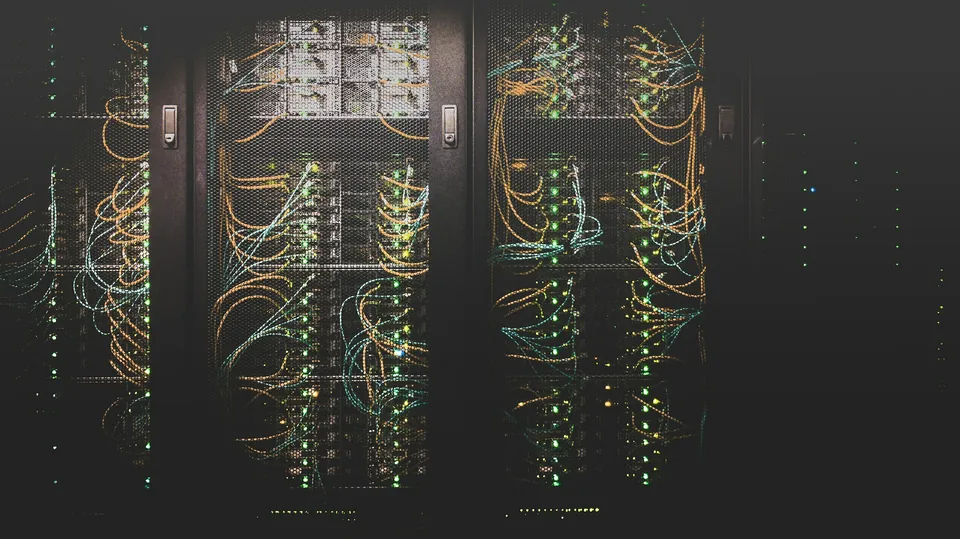
Start with the power cable installation
Dense cable routes, installation access and specification requirements all influence the restraint system. Bring the project details together before choosing a product.
Cable route & layout
Identify cable diameters, formation and the available space on the ladder or tray. Include new routes and any existing infrastructure.
Restraint requirements
Provide the specified fault level, restraint spacing and support details so the relevant product and test information can be reviewed.
Installation planning
Consider access around the cable run, the installation sequence and the tools required by the selected restraint system.
Project procurement
Send quantities, project location and timing to discuss product options, availability and a quotation.
BAND-FAST: an option for dense cable runs
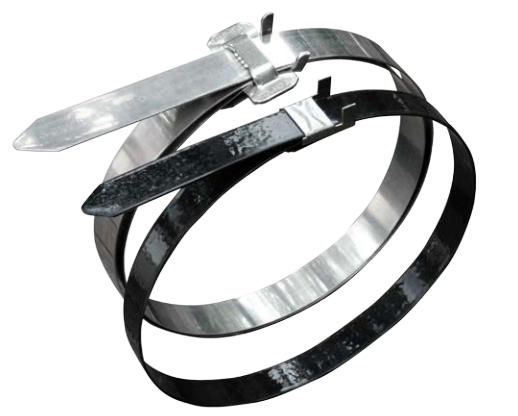
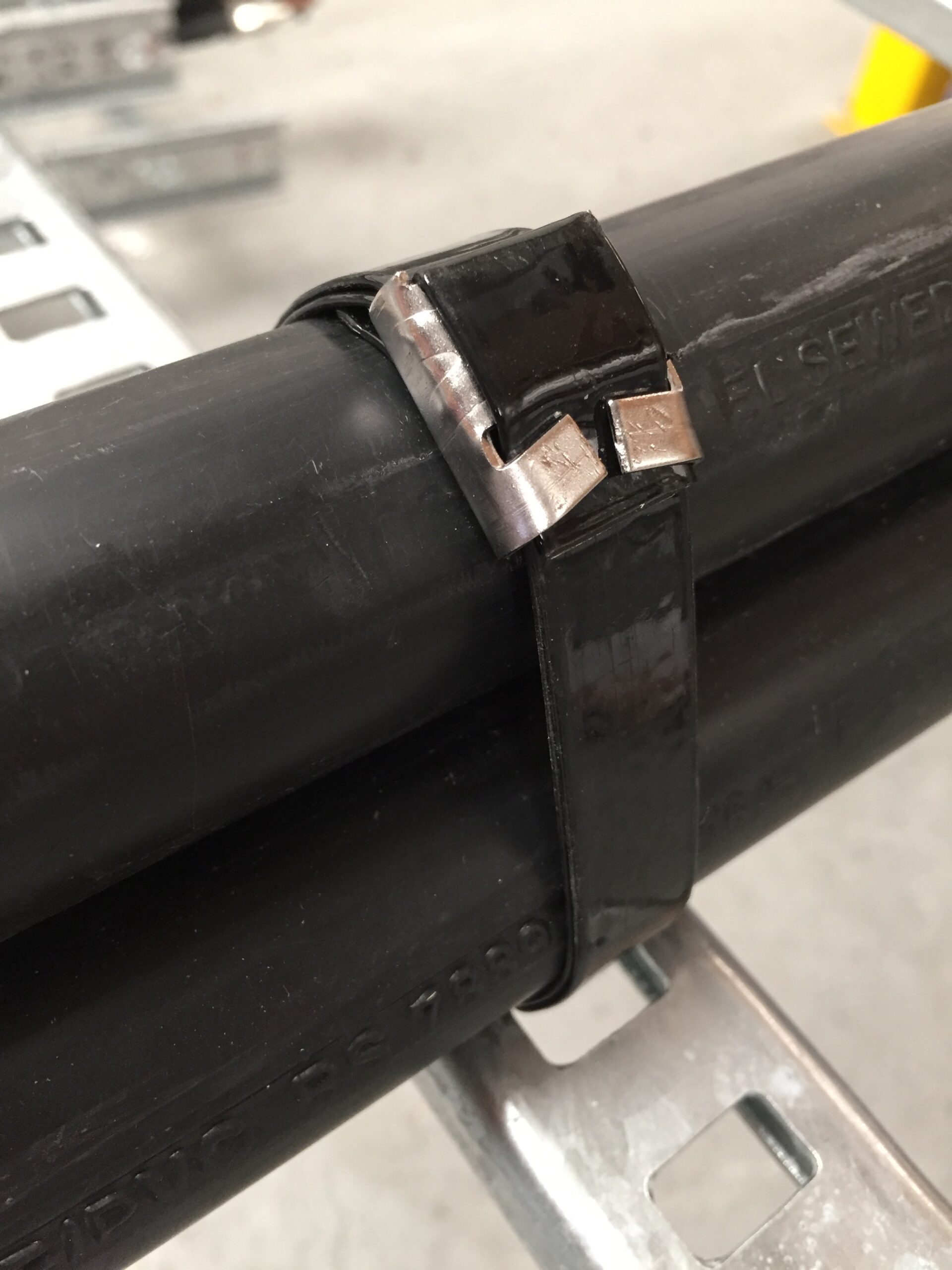
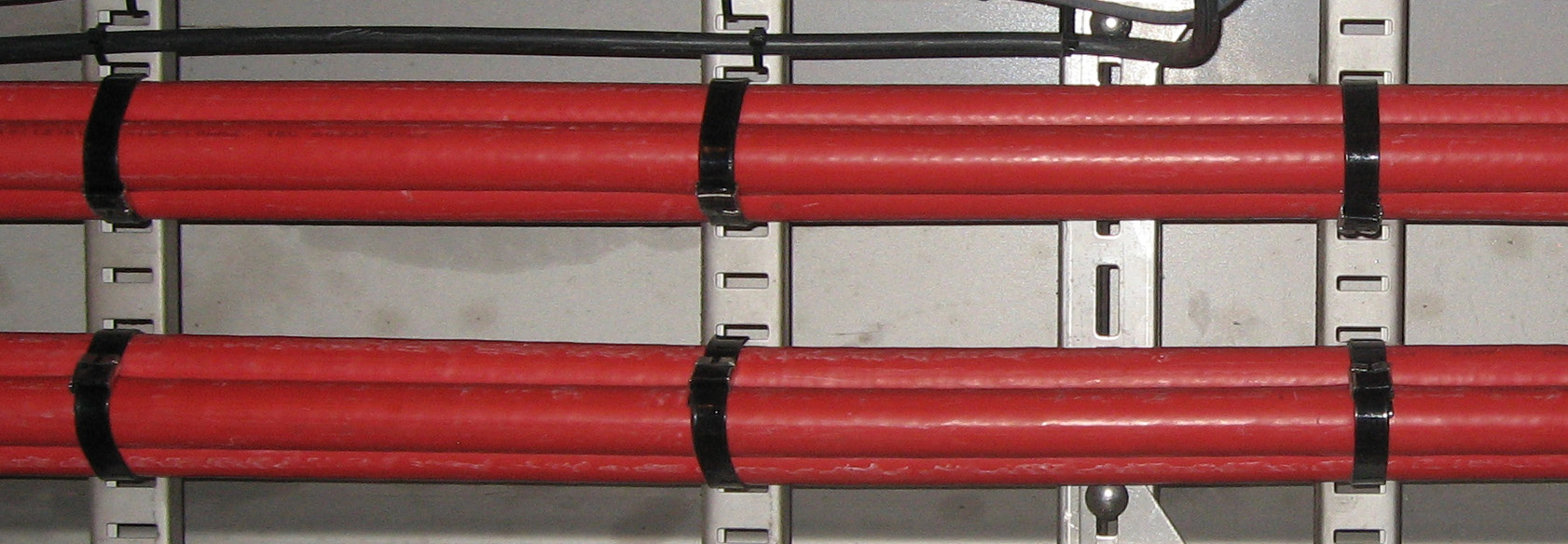
Images: Band-It manufacturer photography. Product information
BAND-FAST cable cleats offer a compact, low-profile restraint with coated and uncoated options. Suitable configurations allow installation after cable pulling and attachment directly to compatible cable-ladder rungs.
Compare the product configuration, cable size, wrap and installation method against your project requirements.
Explore cable cleats & PPA coated band →Short-circuit performance depends on the specific product, cable formation, spacing and installation. Confirm the selected arrangement against the manufacturer’s test data and the project engineer’s specification.
Where cleats fit in a data centre
Focus the restraint review on exposed power routes between major electrical equipment and along cable ladders.
- Transformer
- Switchgear
- UPS
- Distribution
Transformer feeders, switchgear connections, UPS input/output and bypass routes are common places to assess cable restraint. Actual topology and support requirements vary by project.
Explore cable cleats and coated band · Read the customer catalogue
Compare the complete installation package
| Project consideration | Conventional assemblies | BAND-FAST approach |
|---|---|---|
| Components | May use separate cleat bodies, brackets, fixings and liners. | Specified arrangements can reduce separate components; uncoated versions still require the specified liner. |
| Installation sequence | Some arrangements require hardware to be staged before cable pulling. | Compatible arrangements allow installation after cables are placed and aligned. |
| Space and selection | Fixed sizes and hardware can affect tray clearance and stock requirements. | Low-profile banding and diameter adjustment can simplify the package. |
| Performance evidence | Compare the actual cable formation, peak current, spacing, wrap and support against the matching test report for either system. | |
Download the existing one-page comparison. Material and installation savings depend on the project and the assembly being compared.
Bring the selection inputs together
- Cables: outside diameter, number of conductors, formation and jacket limitations.
- Fault duty: the project engineer’s required peak kA, with RMS values identified separately.
- Support: slotted or unslotted ladder, rung-slot dimensions, spacing, mounting method and tool access.
- Complete assembly: band, clip, wrap count, liner or bracket, compatible tooling and installation procedure.
- Delivery and records: quantities, project location, required dates, inspections and any specified installation records.
Tools for cable-restraint installation
Compare all three tools — view the feature matrix →
Choose installation tools alongside the selected band and cleat configuration. These manual and powered tools support controlled installation in cable trays and other project environments.
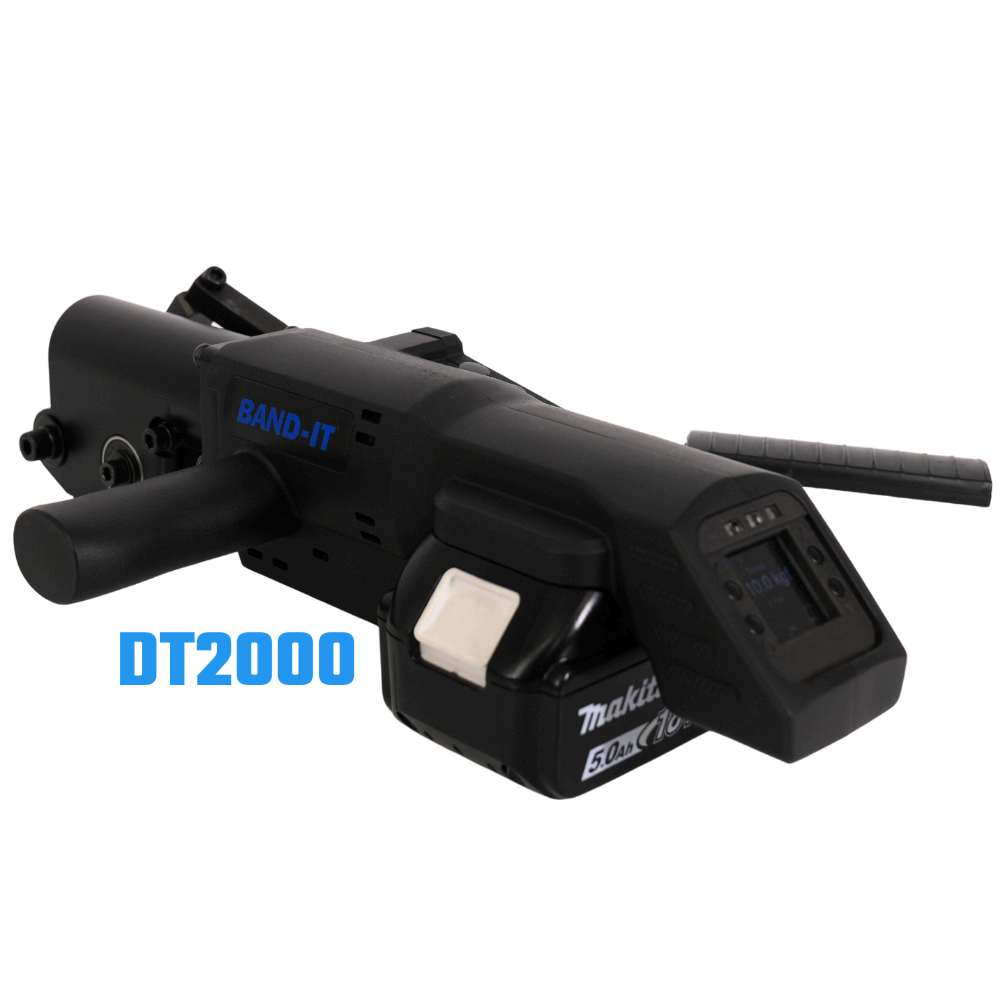
DT2000 Digital Banding Tool
Digital control for cable-cleat installation where space is limited.
- A torque sensor digitally controls and confirms tightening force for consistent band tension.
- Designed for cable-tray installations and Band-It’s short-circuit-tested cable-cleat systems.
- Optional data capture, QR-code settings and exportable records support installation quality checks.
Uses a Makita battery platform. Battery not included; confirm configuration and availability with our team.
Download DT2000 Brochure (PDF)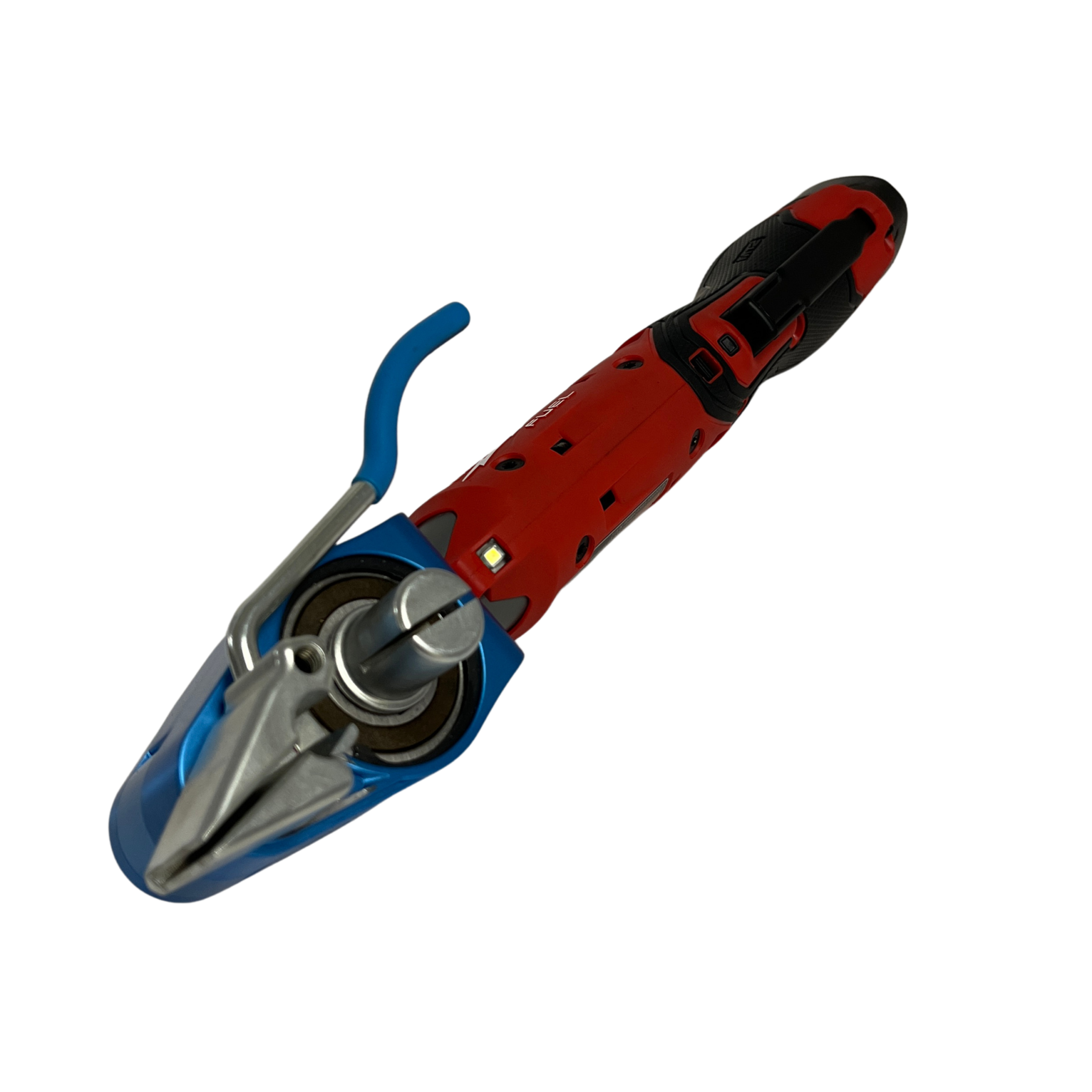
C075EL Electric Bantam
A battery-powered alternative to manual Bantam banding for field installation.
- Applies controlled tension and cuts the band, with a design optimised for coated band and cable protection.
- Helps secure the restraint without excessive clamping force.
- Handles band widths from 3/8 to 3/4 inch (approximately 9.5–19.1 mm), up to 0.030 inch (0.76 mm) thick.
Battery will be provided. Confirm the battery platform and selected band compatibility with our team.
Download C075EL Brochure (PDF)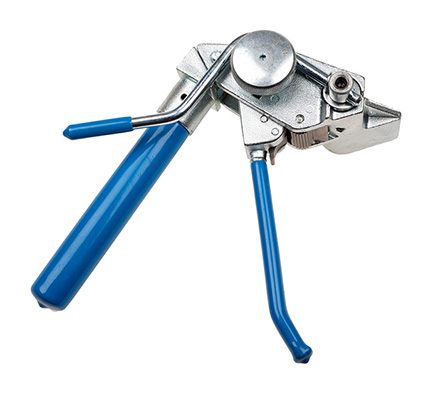
C075 Manual Bantam Tool
A compact, lightweight hand tool for tensioning and cutting band where access is limited.
- Manual ratchet action applies tension, with a built-in cutter to trim the band.
- A three-position handle supports one- or two-handed tensioning in tight working areas.
- Suitable for compatible Band-It ties, PPA coated band and BAND-FAST products.
No battery required. For compatible ties or coated band up to 19 mm wide and 0.63 mm steel thickness; confirm the tool and installation method for your selected restraint.
Download C075 Tool Instructions (PDF)Follow the specified tool settings and installation method for your selected cable-restraint system.
Ask about tools for your projectLokMate clip finishing
The LT625D LokMate finishes the clip after band tensioning. Match the finishing tool and procedure to the selected restraint, and confirm supply with UES Promura.
Read the existing LokMate brochure · LokMate Clip Fastening Tool Operating Instructions · Watch C075EL / LokMate training
Data centre project examples
APAC hyperscale campus
BAND-IT reports supplying 20,000 cleats and two DT2000 tools for a staged campus build. The project combined simplified selection, consistent tension and installation records.
The reported first shipment arrived around three weeks after the purchase order. Ask UES Promura for current Australian supply timing for your quantities.
Western Europe campus
BAND-IT reports deployment of more than 24,000 cleats following an on-site demonstration. The project moved from a multi-component approach to a compact restraint package for dense cable trays.
These are manufacturer-reported project outcomes; selection and delivery remain specific to each installation.
Download the complete data centre case study
Read the manufacturer case-study guide and project-review questions.
Liquid cooling: CDU and in-rack hose assemblies
Cooling hose connections introduce a different fastening task from power-cable restraint. For CDU and in-rack manifold assemblies, review hose retention, vibration, space, service access and installation consistency.
Junior Smooth ID clamps
The smooth internal surface and low-profile fastening are intended to support compatible hose assemblies. Confirm the hose, fitting, coolant, pressure, temperature and required validation for the actual assembly.
Field and OEM tooling
The liquid-cooling brochure identifies Pok-It II for field assembly and IT5000 pneumatic tooling for repeat OEM production. Tool choice depends on the selected clamp and supported size.
Ask UES Promura to confirm the current tooling configuration, installation instructions and supply for your project.
Download Liquid Cooling Solutions (PDF) · Discuss a cooling-hose application
Installation training
Follow the procedure for your selected restraint assembly. Tensioning and clip finishing are separate steps.
View the manual C075 and short-circuit demonstrations · August 2026 selection webinar · June 2026 mechanical protection webinar
Understand the evidence
- PDL-26.160.04 — CFFC cable cleat test report (300 mm / 600 mm) — 31 laboratory report pages plus a UES code-edition cover; see the tested wrap, spacing and bracket configurations. Read the configuration notes.
- Short-circuit reports and configuration notes — tested arrangements and matching conditions.
- BAND-IT internal fire evaluation — 24 April 2026 — internal, non-accredited exposure and retention evaluation; not third-party assembly fire certification.
- PPA 571 coating fire/fume references — coating properties, distinct from a complete cleat assembly.
- Lloyd’s Register LR26344037TA renewal — listed ties, buckles and band for its stated marine/offshore/industrial scope; expires 7 July 2031.
For final selection, request the report and instructions that match the specified product, formation, wrap, spacing and support.
Data centre cable-restraint application guides
Use these guides to organise the route, assembly and evidence questions for your project.
Resources for your project team
Explore a BAND-FAST data centre application.
Review cable-restraint options and product information.
Explore product selection using your installation inputs.
Review TPE sleeve sizes and metric profile dimensions.
Review the wider Band-It power cable management range.
Additional specifications and installation details: Cable cleat product information.
Data centre flipbooks
Explore Band-It cable restraint, components and installation tools in two dedicated publications.
Customer catalogue — explore the product range
Technical guide — review selection, tooling and test information
Tell us about your data centre project
Request product information or a quote. Share the details you have; you can discuss the remaining requirements with our team.
Prefer to talk? +61 3 9547 5833
Email sales@uespromura.com.au